# Delete your app
Source: https://docs.streamlit.io/deploy/streamlit-community-cloud/manage-your-app/delete-your-app
If you need to delete your app, it's simple and easy. There are several cases where you may need to delete your app:
- You have finished playing around with an example app.
- You want to deploy from a private repository but already have a private app.
- You want to [change the Python version](https://docs.streamlit.io/deploy/streamlit-community-cloud/manage-your-app/upgrade-python) for your app.
- You want to [rename your repository](https://docs.streamlit.io/deploy/streamlit-community-cloud/manage-your-app/rename-your-app) or move your entrypoint file.
If you delete your app and intend to immediately redploy it, your custom subdomain should be immediately available for reuse. Read more about data deletion in [Streamlit trust and security](https://docs.streamlit.io/deploy/streamlit-community-cloud/get-started/trust-and-security#data-deletion).
You can delete your app:
- [From your workspace](#delete-your-app-from-your-workspace).
- [From your Cloud logs](#delete-your-app-from-your-cloud-logs).
### Delete your app from your workspace
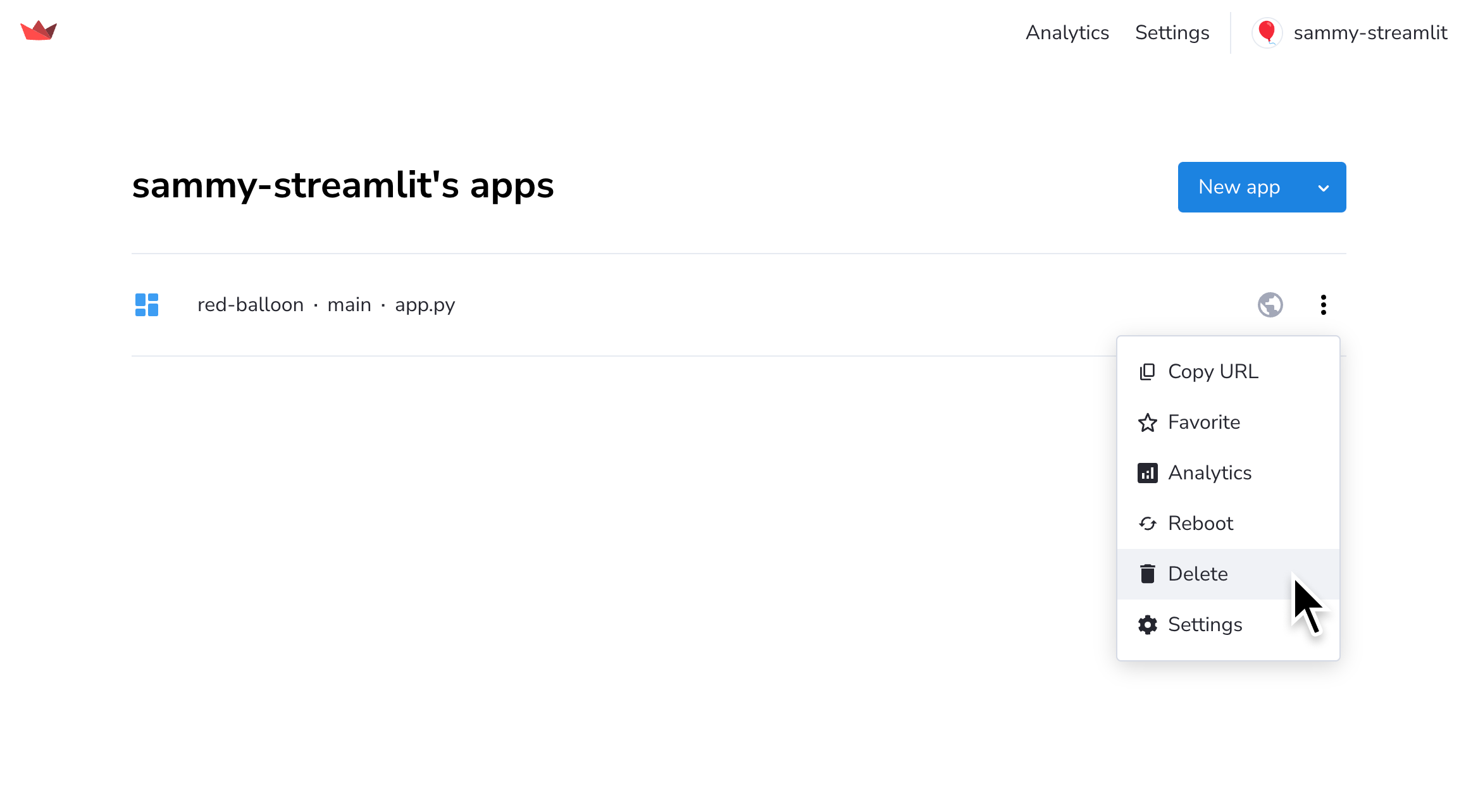
1. From your workspace at share.streamlit.io, click the overflow icon (`more_vert`) next to your app. Click "**Delete**."
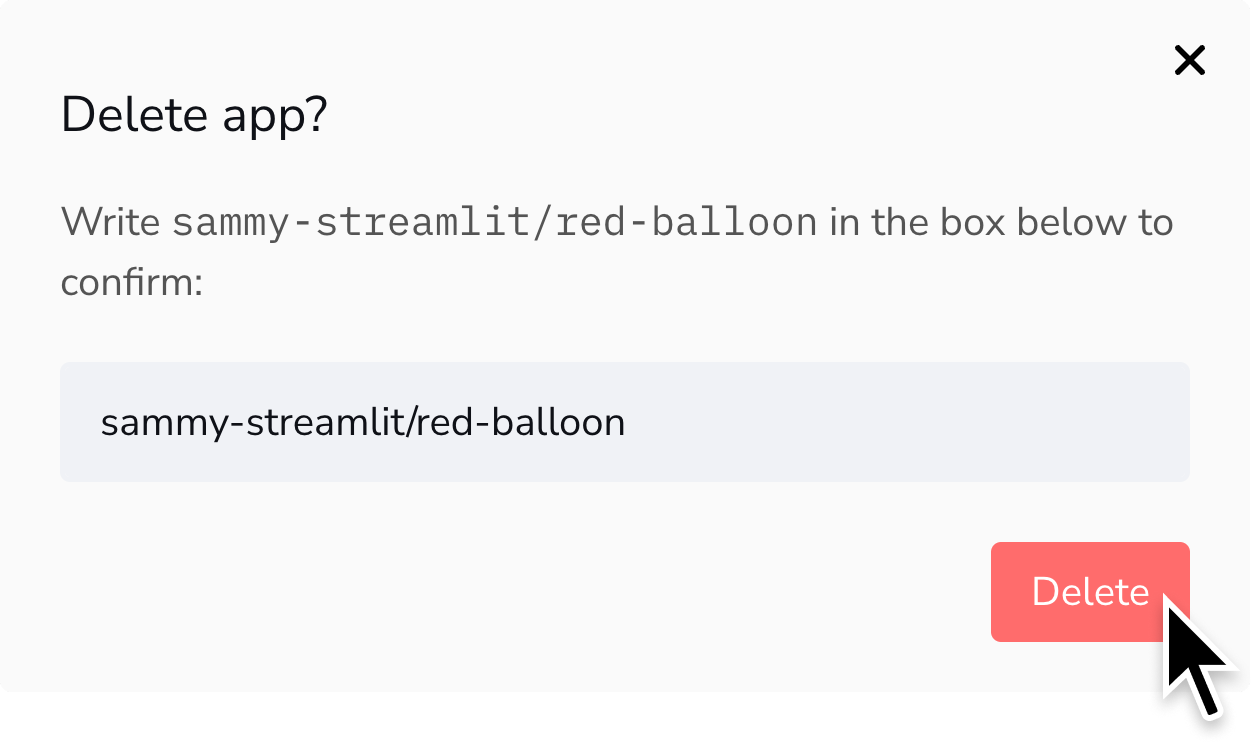
2. A confirmation will display. Enter the required confirmation string and click "**Delete**."
### Delete your app from your Cloud logs
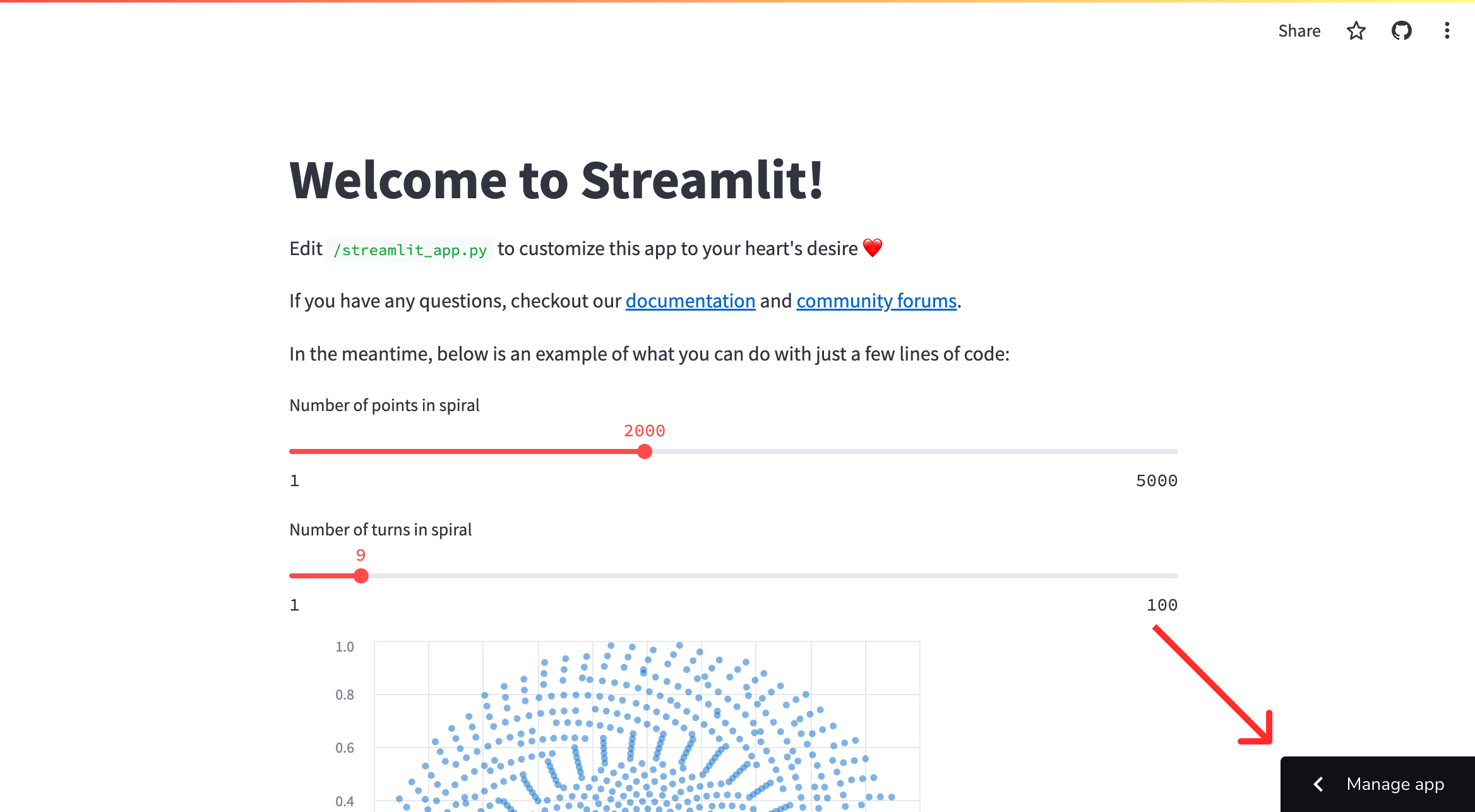
1. From your app at `.streamlit.app`, click "**Manage app**" in the lower-right corner.
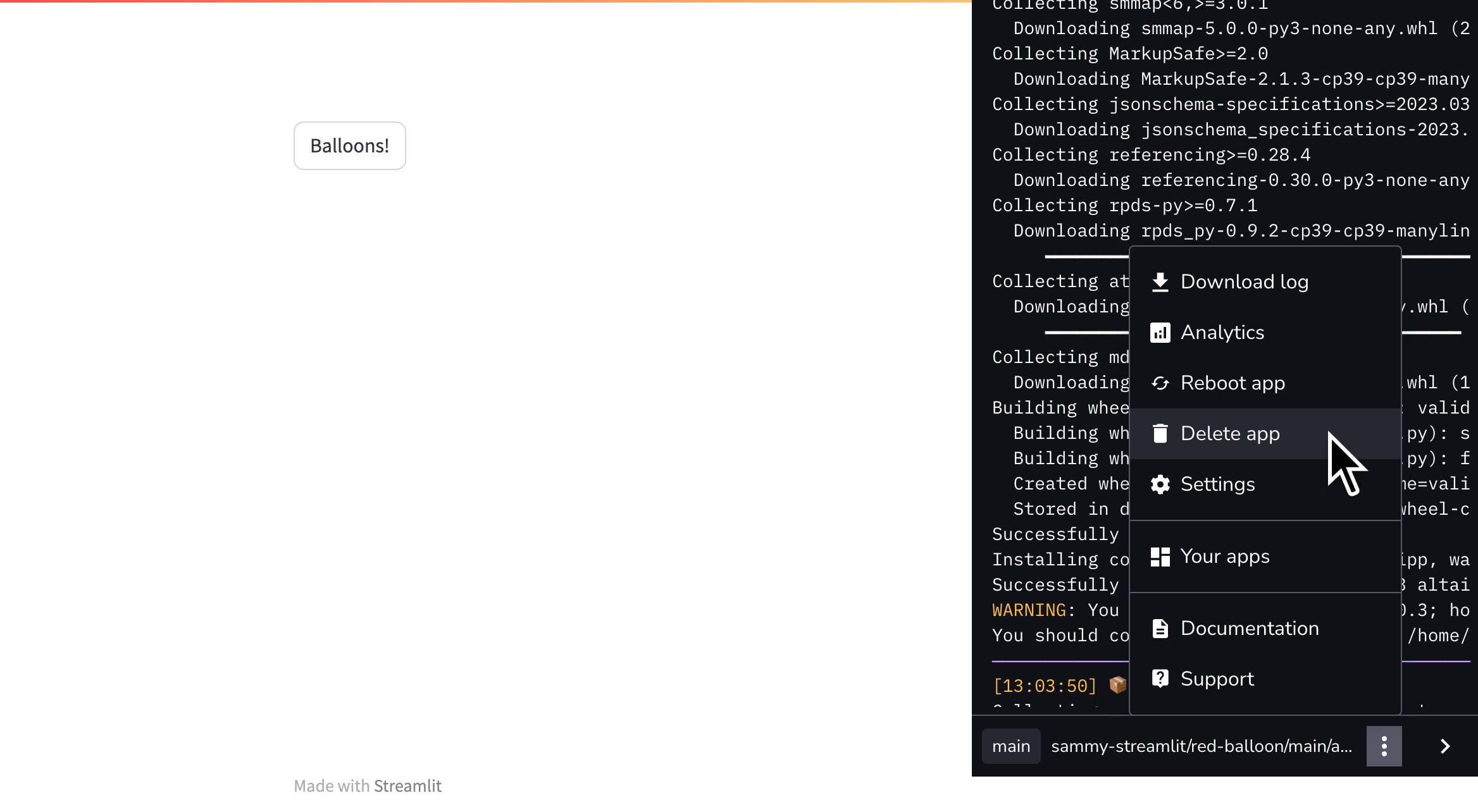
2. Click the overflow menu icon (`more_vert`) and click "**Delete app**."
3. A confirmation will display. Enter the required confirmation string and click "**Delete**."
