# Favorite your app
Source: https://docs.streamlit.io/deploy/streamlit-community-cloud/manage-your-app/favorite-your-app
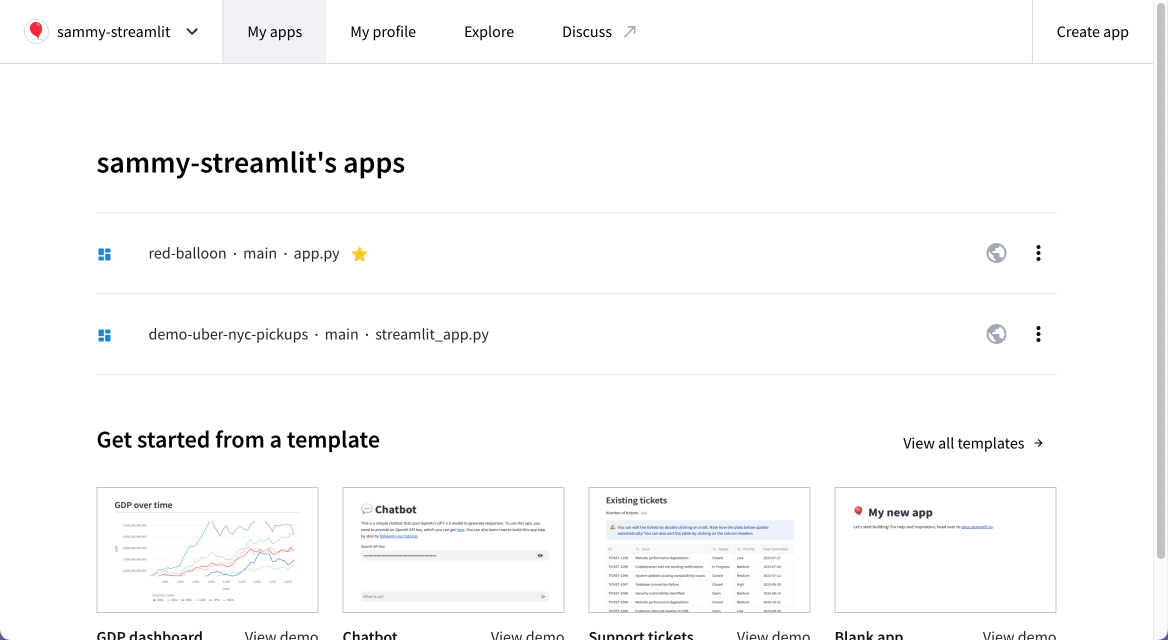
Streamlit Community Cloud supports a "favorite" feature that lets you quickly access your apps from your workspace. Favorited apps appear at the top of their workspace with a yellow star (`star`) beside them. You can favorite and unfavorite apps in any workspace to which you have access as a developer or invited viewer.
> **Note**
>
> Favorites are specific to your account. Other members of your workspace cannot see which apps you have favorited.
## Favoriting and unfavoriting your app
You can favorite your app:
- [From your workspace](#favorite-your-app-from-your-workspace).
- [From your app](#favorite-your-app-from-your-app-toolbar)!
### Favorite your app from your workspace
1. From your workspace at share.streamlit.io, hover over your app.
If your app is not yet favorited, a star outline (`star_border`) will appear on hover.
1. Click on the star (`star_border`/`star`) next to your app name to toggle its favorited status.
### Favorite your app from your app toolbar
From your app at `.streamlit.app`, click the star (`star_border`/`star`) in the upper-right corner to toggle your app's favorited status.
