Connect Streamlit to MongoDB
Introduction
This guide explains how to securely access a remote MongoDB database from Streamlit Community Cloud. It uses the PyMongo library and Streamlit's Secrets management.
Create a MongoDB Database
Note
If you already have a database that you want to use, feel free to skip to the next step.
First, follow the official tutorials to install MongoDB, set up authentication (note down the username and password!), and connect to the MongoDB instance. Once you are connected, open the mongo shell and enter the following two commands to create a collection with some example values:
use mydb
db.mycollection.insertMany([{"name" : "Mary", "pet": "dog"}, {"name" : "John", "pet": "cat"}, {"name" : "Robert", "pet": "bird"}])
Add username and password to your local app secrets
Your local Streamlit app will read secrets from a file .streamlit/secrets.toml in your app's root directory. Create this file if it doesn't exist yet and add the database information as shown below:
# .streamlit/secrets.toml

[mongo]
host = "localhost"
port = 27017
username = "xxx"
password = "xxx"
Important
When copying your app secrets to Streamlit Community Cloud, be sure to replace the values of host, port, username, and password with those of your remote MongoDB database!
Add this file to .gitignore and don't commit it to your GitHub repo!
Copy your app secrets to the cloud
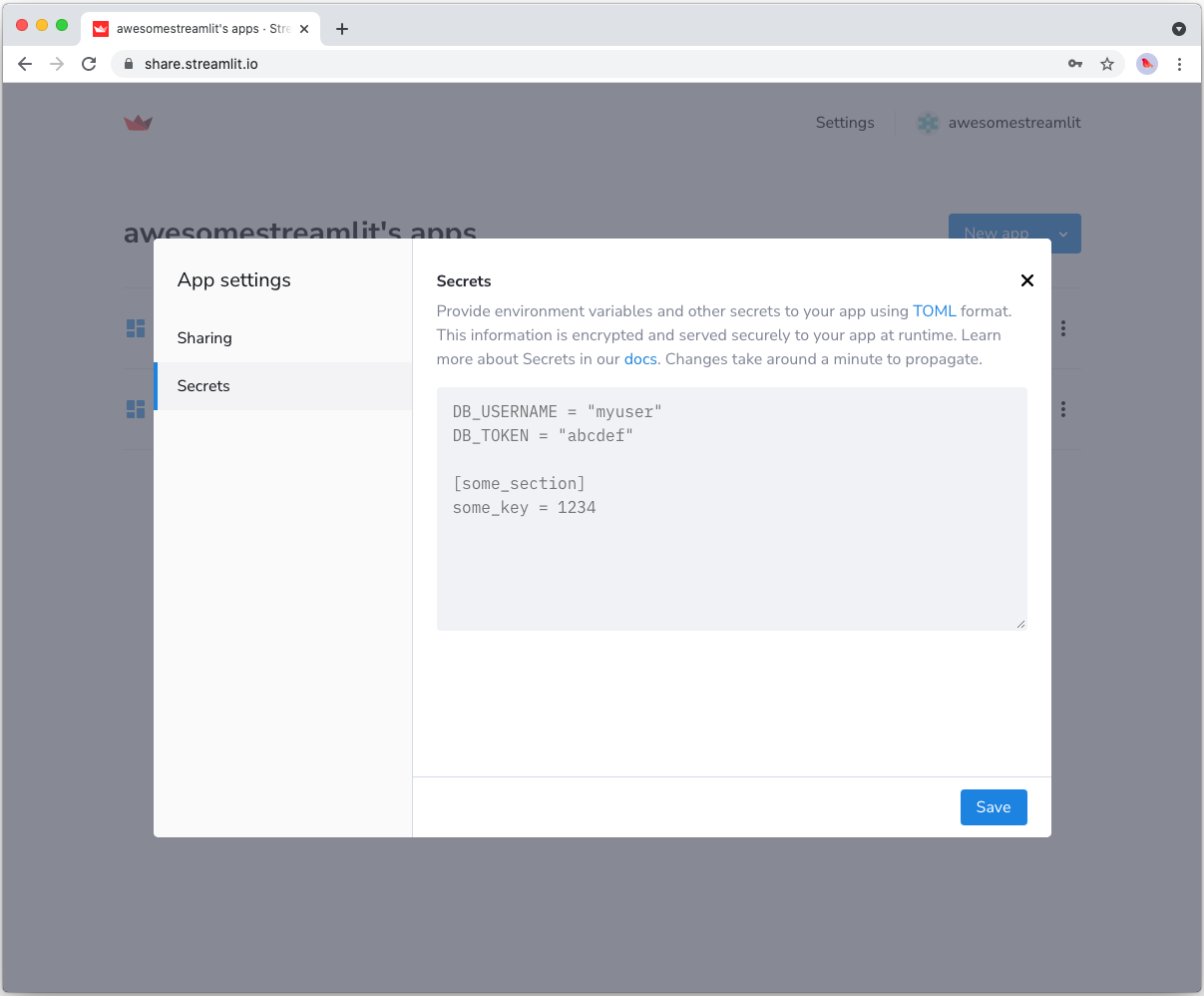
As the secrets.toml file above is not committed to GitHub, you need to pass its content to your deployed app (on Streamlit Community Cloud) separately. Go to the app dashboard and in the app's dropdown menu, click on Edit Secrets. Copy the content of secrets.toml into the text area. More information is available at Secrets management.
Add PyMongo to your requirements file
Add the PyMongo package to your requirements.txt file, preferably pinning its version (replace x.x.x with the version you want installed):
# requirements.txt
pymongo==x.x.x
Write your Streamlit app
Copy the code below to your Streamlit app and run it. Make sure to adapt the name of your database and collection.
# streamlit_app.py

import streamlit as st
import pymongo

# Initialize connection.
# Uses st.cache_resource to only run once.
@st.cache_resource
def init_connection():
    return pymongo.MongoClient(**st.secrets["mongo"])

client = init_connection()

# Pull data from the collection.
# Uses st.cache_data to only rerun when the query changes or after 10 min.
@st.cache_data(ttl=600)
def get_data():
    db = client.mydb
    items = db.mycollection.find()
    items = list(items)  # make hashable for st.cache_data
    return items

items = get_data()

# Print results.
for item in items:
    st.write(f"{item['name']} has a :{item['pet']}:")
See st.cache_data above? Without it, Streamlit would run the query every time the app reruns (e.g. on a widget interaction). With st.cache_data, it only runs when the query changes or after 10 minutes (that's what ttl is for). Watch out: If your database updates more frequently, you should adapt ttl or remove caching so viewers always see the latest data. Learn more in Caching.
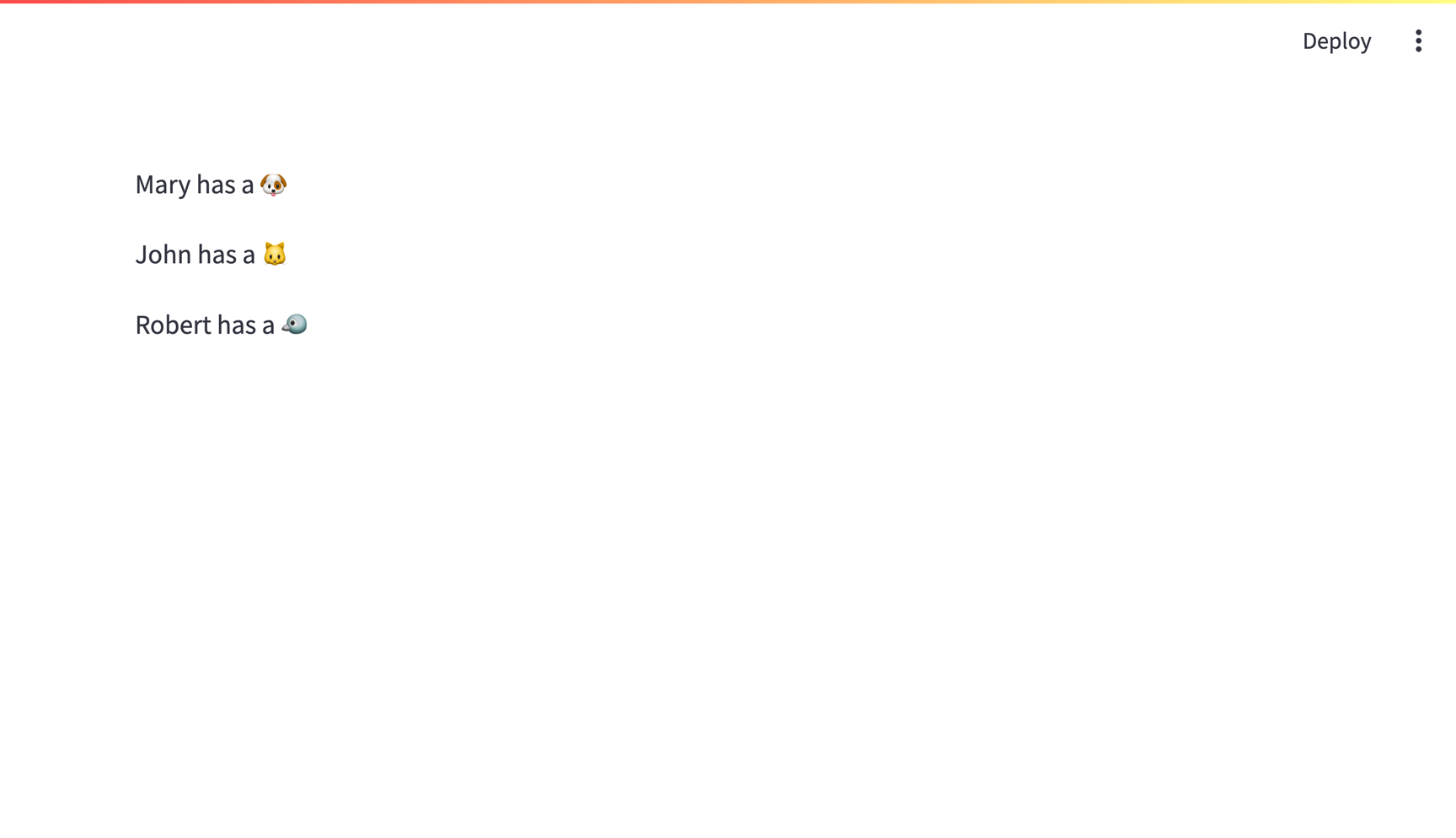
If everything worked out (and you used the example data we created above), your app should look like this:
Still have questions?
Our forums are full of helpful information and Streamlit experts.