Connect Streamlit to ClickHouse Managed Postgres
Introduction
This guide connects a Streamlit app to ClickHouse Managed Postgres using st.connection, Secrets management, and the PostgreSQL driver. You will create a small table of people and their pets, then display the results in your app.
To connect to a ClickHouse service, follow that guide. It uses ClickHouse Connect.
Prerequisites
- A ClickHouse Cloud account.
- A Python environment with Streamlit installed.
Create a requirements.txt file in your app's directory:
streamlit>=1.28
psycopg2-binary>=2.9.6
sqlalchemy>=2.0.0
Install the dependencies:
python -m pip install -r requirements.txt
Create a Postgres instance and add sample data
If you already have a ClickHouse Managed Postgres instance, use it for the following steps.
-
Sign in to the ClickHouse Cloud console and create a Postgres instance. To create the instance from the command line, follow the Managed Postgres quickstart.
-
Open your instance's SQL Console and select the
postgresdatabase. -
Run these statements to create a table and add three rows:
SQLCREATE TABLE mytable ( id INTEGER PRIMARY KEY, name TEXT NOT NULL, pet TEXT NOT NULL ); INSERT INTO mytable (id, name, pet) VALUES (1, 'Mary', 'dog'), (2, 'John', 'cat'), (3, 'Robert', 'bird');
Add connection details to your local app secrets
-
Open your Postgres instance's Connect menu and select Directly. Copy the hostname, port, username, and password.
-
Download the instance's CA certificate bundle from Settings. The download is often named like
my-instance-ca-certificate.pem. Rename it toca-certificate.pemand save it in your app's directory. -
In the same directory, create
.streamlit/secrets.toml:TOML# .streamlit/secrets.toml [connections.clickhouse_managed_postgres] dialect = "postgresql" driver = "psycopg2" host = "YOUR_HOST.pg.clickhouse.cloud" port = 5432 database = "postgres" username = "postgres" password = "YOUR_PASSWORD" [connections.clickhouse_managed_postgres.create_engine_kwargs.connect_args] sslmode = "verify-full" sslrootcert = "ca-certificate.pem" -
Replace the example host and credentials with your instance's direct connection details. Enter just the hostname in
host, without a URL scheme or port.
sslmode = "verify-full" checks the server certificate and hostname. sslrootcert is resolved from the working directory, so run Streamlit from the directory that contains ca-certificate.pem. The CA certificate is specific to your Postgres instance. See Connecting to ClickHouse Managed Postgres for more details.
ClickHouse Managed Postgres allows connections from anywhere until you add an IP filter. If your instance allows only specific addresses, add the public IP address of the computer running the app under Settings → IP Filters. See Managed Postgres security.
Important
Add .streamlit/secrets.toml to .gitignore so your database credentials stay out of your GitHub repository.
Write your Streamlit app
Save this code as streamlit_app.py:
# streamlit_app.py

import streamlit as st

# Initialize connection.
conn = st.connection("clickhouse_managed_postgres", type="sql")

# Perform query.
df = conn.query("SELECT name, pet FROM mytable ORDER BY id;", ttl="10m")

# Print results.
for row in df.itertuples():
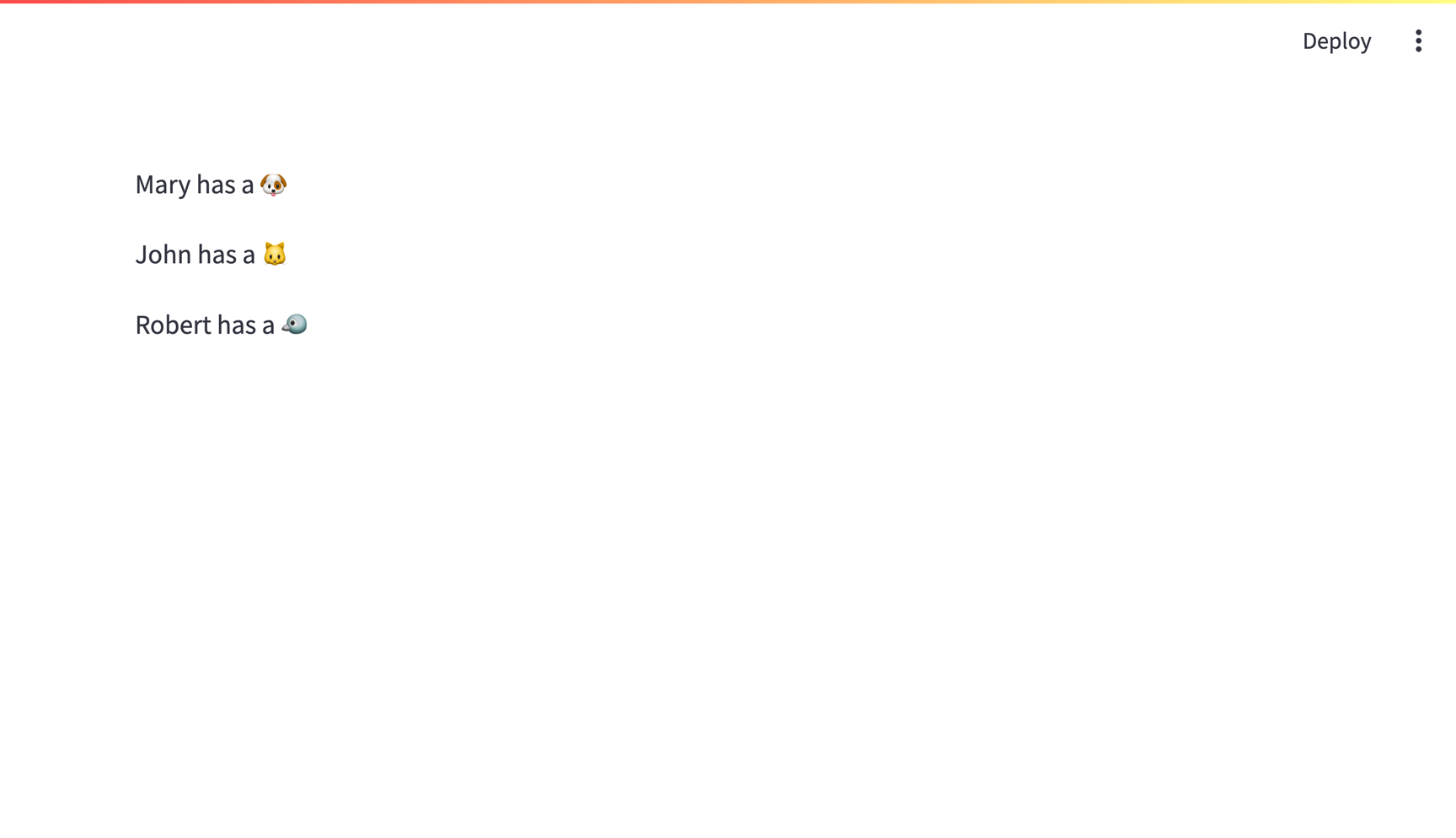
    st.write(f"{row.name} has a :{row.pet}:")
st.connection reads the connection details from your secrets file. The query result is cached for ten minutes. Set ttl=0 to fetch fresh results on every run, or see Caching for more options.
Run your app:
streamlit run streamlit_app.py
With the sample data above, your app should look like this:
Connect from Streamlit Community Cloud
To deploy the same app on Community Cloud:
- Include
streamlit_app.pyandrequirements.txtin your GitHub repository. - Add your secrets to your Community Cloud app by copying the contents of
.streamlit/secrets.tomlinto its secrets settings. - Include
ca-certificate.pemin the root of your app's repository so thesslrootcertpath works on Community Cloud. The CA certificate contains no private key or database password and can be committed; keep your credentials in app secrets. - If the instance allows only specific addresses, add Community Cloud's outbound IP addresses to its IP filters.
Still have questions?
Our forums are full of helpful information and Streamlit experts.