Connect Streamlit to Prisma Postgres
Introduction
This guide explains how to securely access a Prisma Postgres database from Streamlit. Prisma Postgres is a managed PostgreSQL database. The guide uses st.connection, Streamlit's Secrets management, and the PostgreSQL driver. You will create a small table of people and their pets, then display the results in your app.
Prerequisites
-
The following packages must be installed in your Python environment:
txtstreamlit>=1.28 psycopg2-binary>=2.9.6 sqlalchemy>=2.0.0 -
You need either Node.js to create a temporary database from your terminal, or a Prisma Console account to create a permanent one.
-
You should have a basic understanding of
st.connectionand Secrets management.
Create a Prisma Postgres database
If you already have a Prisma Postgres database that you want to use, you can skip to the next step.
-
Create a database in one of two ways:
-
To get a temporary database without an account, run the following command in your terminal:
Terminalnpx create-db@latestThe command prints a connection string and a claim link. The database is deleted after 24 hours unless you claim it with that link.
-
To create a permanent database, sign in to the Prisma Console, create a project with a Prisma Postgres database, and generate a connection string as described in Connecting to your database.
-
-
Copy your connection string. It should look similar to this:
Terminalpostgres://xxxxxxxx:xxxxxxxxxxxx@db.prisma.io:5432/postgres?sslmode=require -
Connect to your database with
psqlor another SQL client, using the connection string from the previous step.Terminalpsql "postgres://xxxxxxxx:xxxxxxxxxxxx@db.prisma.io:5432/postgres?sslmode=require" -
Run the following statements to create a table with some example values:
SQLCREATE TABLE mytable ( id SERIAL PRIMARY KEY, name VARCHAR(80), pet VARCHAR(80) ); INSERT INTO mytable (name, pet) VALUES ('Mary', 'dog'), ('John', 'cat'), ('Robert', 'bird');
Add the connection string to your local app secrets
-
If you do not already have a
.streamlit/secrets.tomlfile in your app's root directory, create an empty secrets file. -
Add your connection string to your app's
.streamlit/secrets.tomlfile with two changes: replace thepostgres://scheme withpostgresql+psycopg2://, and replace thedb.prisma.iohost withpooled.db.prisma.io.TOML# .streamlit/secrets.toml [connections.prisma_postgres] url = "postgresql+psycopg2://xxxxxxxx:xxxxxxxxxxxx@pooled.db.prisma.io:5432/postgres?sslmode=require"st.connectionpasses this URL to SQLAlchemy, which doesn't accept thepostgres://scheme. Naming the driver in the scheme tells SQLAlchemy to usepsycopg2from your requirements.Every Prisma Postgres database has a direct host (
db.prisma.io) and a pooled host (pooled.db.prisma.io) that share the same credentials. The pooled host routes your app's queries through a connection pooler, so use it for your Streamlit app. Use the direct host for administrative tools likepsql. Keepsslmode=requirein the URL because Prisma Postgres only accepts encrypted connections.priority_high Important
Add this file to
.gitignoreand don't commit it to your GitHub repo!
Write your Streamlit app
-
Copy the code below to your Streamlit app and save it.
Python# streamlit_app.py import streamlit as st # Initialize connection. conn = st.connection("prisma_postgres", type="sql") # Perform query. df = conn.query("SELECT * FROM mytable ORDER BY id;", ttl="10m") # Print results. for row in df.itertuples(): st.write(f"{row.name} has a :{row.pet}:")The
st.connectionobject above handles secrets retrieval, setup, query caching and retries.By default,
query()results are cached without expiring. Setting thettlparameter to"10m"ensures the query result is cached for no longer than 10 minutes. You can also setttl=0to disable caching. Learn more in Caching. -
Run your Streamlit app.
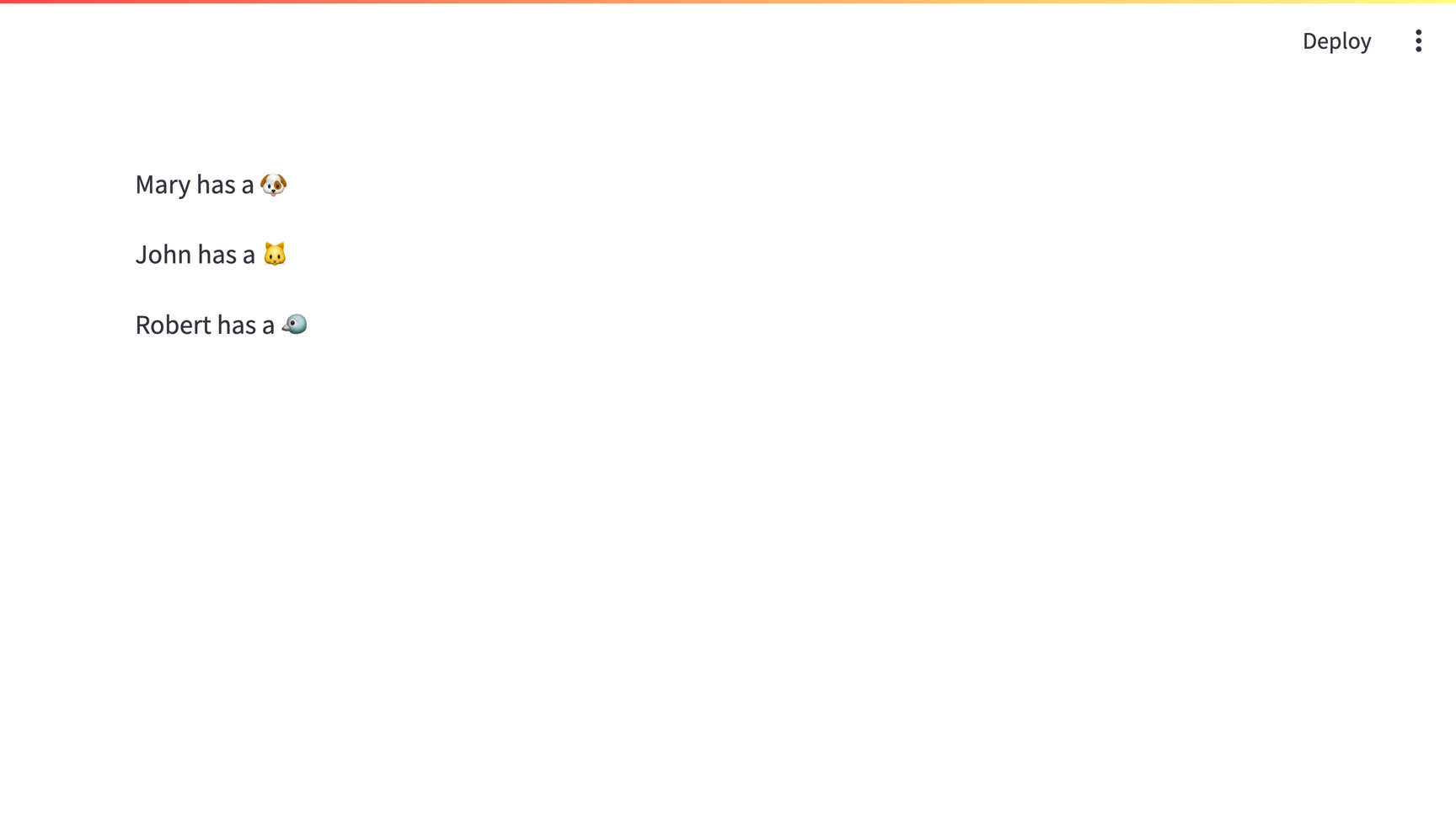
Terminalstreamlit run streamlit_app.pyIf everything worked out (and you used the example table we created above), your app should look like this:
Connecting to a Prisma Postgres database from Community Cloud
This tutorial assumes a local Streamlit app, but you can also connect to a Prisma Postgres database from apps hosted on Community Cloud. The additional steps are:
- Add a
requirements.txtfile to your repo. Include all the packages listed in Prerequisites and any other dependencies. - Add your secrets to your app in Community Cloud.
Still have questions?
Our forums are full of helpful information and Streamlit experts.