st.divider
Display a horizontal rule.
Note
You can achieve the same effect with st.write("---") or even just "---" in your script (via magic).
| Function signature[source] | |
|---|---|
st.divider(*, width="stretch") | |
| Parameters | |
width ("stretch" or int) | The width of the divider element. This can be one of the following:
|
Examples
import streamlit as st

st.divider()
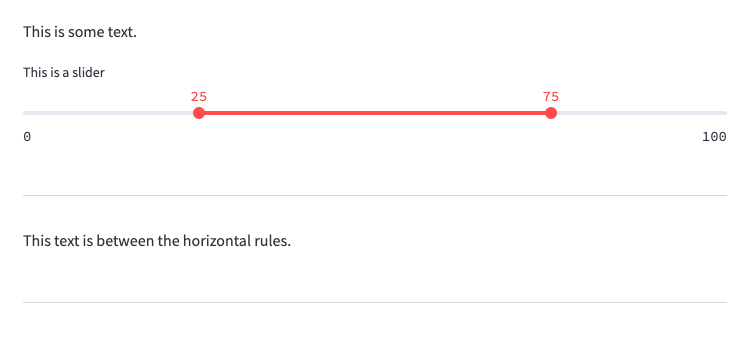
Here's what it looks like in action when you have multiple elements in the app:
Python
import streamlit as st

st.write("This is some text.")

st.slider("This is a slider", 0, 100, (25, 75))

st.divider()  # 👈 Draws a horizontal rule

st.write("This text is between the horizontal rules.")

st.divider()  # 👈 Another horizontal rule
Tip
Want a new st.divider feature or found a bug? Browse open issues and react with a 👍 on the initial post of the ones that matter to you. Your votes help us prioritize what to work on next.
Still have questions?
Our forums are full of helpful information and Streamlit experts.